
The unified media player for phone & Android TV
KayCast is a fast video player and audio player in one app. Play the videos and music already on your device, or add your own M3U playlists — then cast it all to Chromecast on the big screen.
One app, every screen
KayCast ships with no channels, streams or media of any kind. It's an empty player — you add your own files and your own playlist links.
Full video player
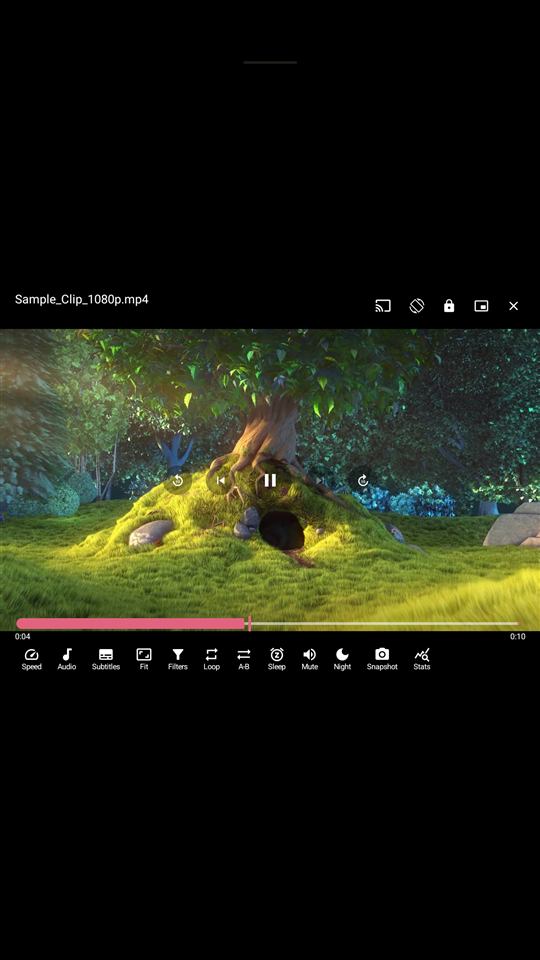
Smooth scrub bar, 0.25×–4× speed, gesture controls, embedded & external subtitles, chapters, background audio and Picture-in-Picture.
Full audio & music player
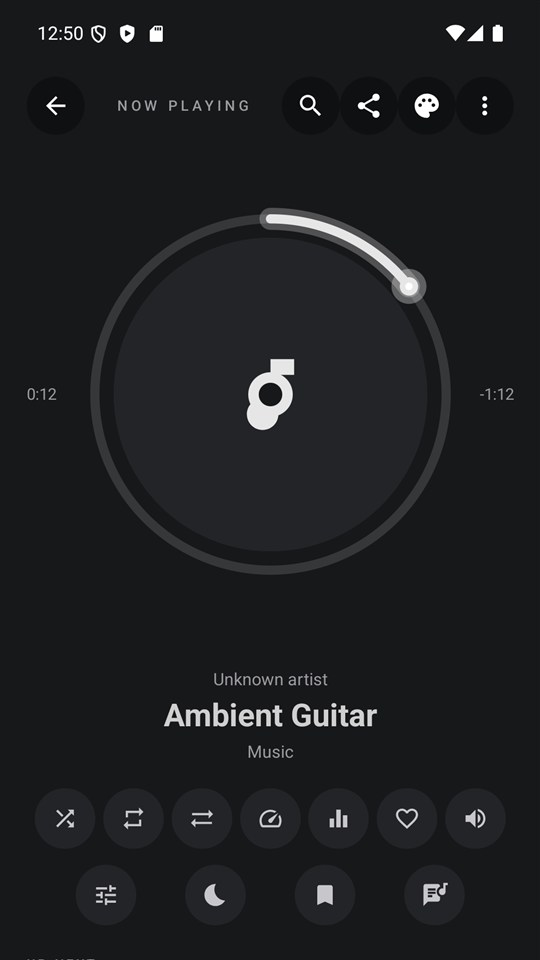
Library by album, artist and folder, synced lyrics, equalizer and audio effects, smart playlists, sleep timer and Android Auto.
My Media
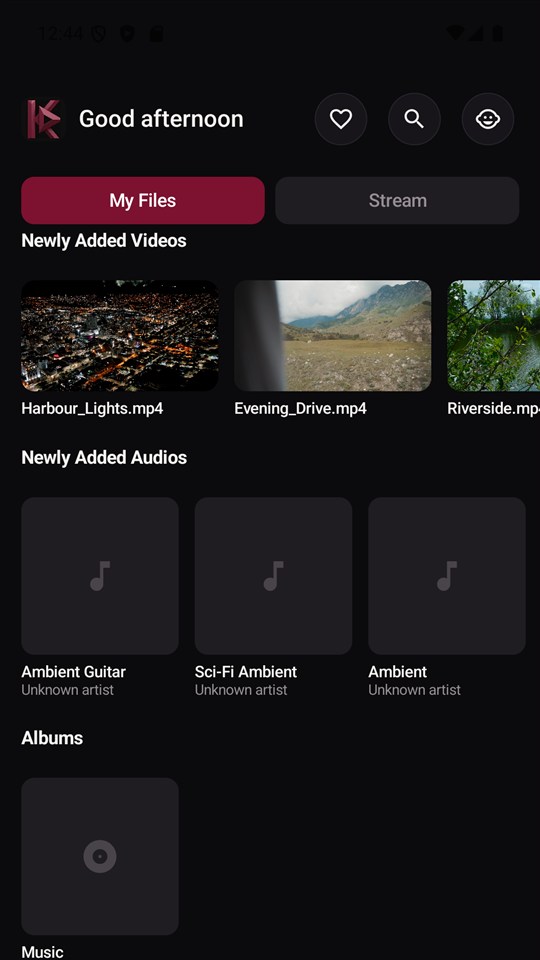
Browse and play the videos and music already on your device, with thumbnails and resume-from-where-you-left-off.
Your own playlists
Load standard M3U playlists, Xtream Codes logins and direct stream URLs you already have — on phone and Android TV.
Works with Chromecast
Cast your media to the big screen, and enjoy one unified experience on phone and Android TV.
Kids Mode
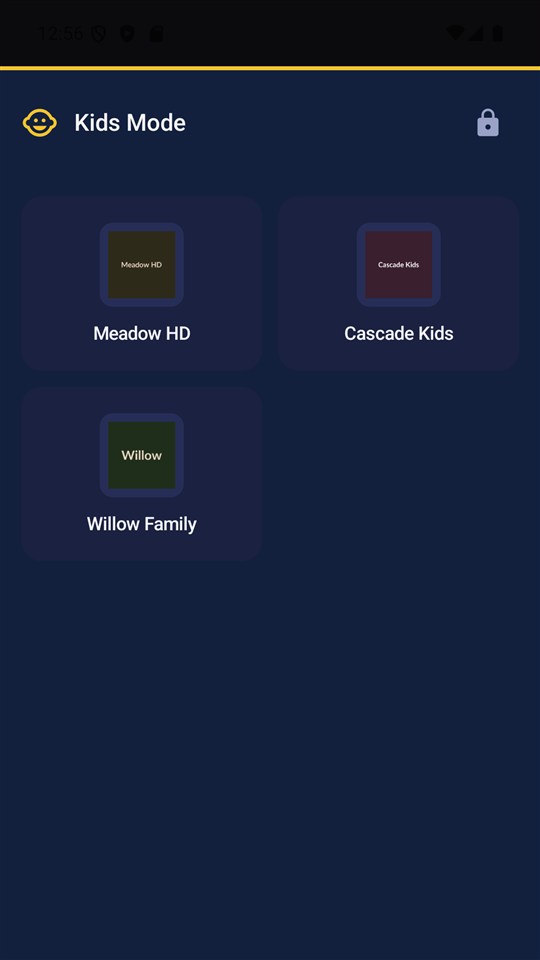
A PIN-locked, kid-safe view that keeps the rest of the app out of reach.
How it works
Three steps. No account required to get started.
Add your sources
Point KayCast at what you already have — local videos and music on your device, or your own M3U / Xtream Codes playlist links.
One home for everything
Browse your library and streaming sources side by side, with search, favourites and Kids Mode built in — on phone or Android TV.
Watch anywhere
Play on your device, cast to Chromecast, or send a source from phone to TV.
See it in action
A quick look at the unified home, video player, music player and Kids Mode.
Who it's for
One app, several kinds of household.
Already have a playlist
If you already use M3U or Xtream Codes, get a proper player around it — EPG, favourites, multi-view — instead of a bare stream URL.
Home media libraries
A fast, offline-first player for the videos and music already on your phone or TV — nothing has to leave your device.
Families
Kids Mode and parental controls keep the rest of the app out of reach, with per-profile settings for everyone else.
Phone + Android TV households
The same library and login flow on every screen — send a source from phone to TV without typing it on a remote.
Free vs Pro
KayCast is free and ad-supported. Pro removes ads and unlocks more.
Note: Pro purchases are temporarily unavailable while we complete a verification with our payment provider — see What's new. No one is charged in the meantime.
Free
- Full video & audio player
- Up to 2 playlists / sources
- Up to 20 favourites
- Kids Mode & parental controls
- Works with Chromecast
- All 6 accent themes
Pro
Free trial: 7 days monthly · 15 days 6-month · 1 month annual · cancel anytime
- Unlimited playlists & favourites
- Full programme guide + reminders
- Catch-up / replay
- Multi-view (2–4 players at once)
- Stream health monitor
- Multiple profiles
- Video filters
- Network folders (SMB / WebDAV / DLNA / FTP / SFTP)
- Phone-as-Remote
- Guest Pass sharing
- Scheduled auto-backup
- Home-screen widgets
- No ads
Frequently asked questions
What is KayCast?
KayCast is a unified media player app for Android phones and Android TV. It plays the videos and music already on your device, files shared from other apps, and playlists you add yourself (M3U or direct stream links).
Does KayCast include any channels or content?
No. KayCast ships with no channels, streams or media of any kind. It is an empty player — you add your own files and your own playlist links. Nothing is provided, bundled, or hosted by KayCast.
Is KayCast a video player, audio player, or both?
Both. KayCast has a full video player (subtitles, gesture controls, background playback, Picture-in-Picture) and a full audio/music player (album and artist library, equalizer, lyrics, sleep timer, Android Auto) in one app.
Does KayCast work with Chromecast?
Yes. KayCast works with Chromecast so you can cast your videos to the big screen.
Can I add my own M3U or Xtream Codes playlist to KayCast?
Yes. KayCast can load standard M3U playlists, Xtream Codes logins and direct stream URLs that you already have, on both phone and Android TV.
Is KayCast free?
Yes, KayCast is free and ad-supported. An optional Pro subscription removes ads and unlocks extra app features such as unlimited playlists, multi-view and the full programme guide.
Does KayCast work on Android TV?
Yes. KayCast runs as one app on both Android phones and Android TV, with a remote-friendly interface on TV.